
← All plugins
Inventory
Your bags, sorted out while you play.
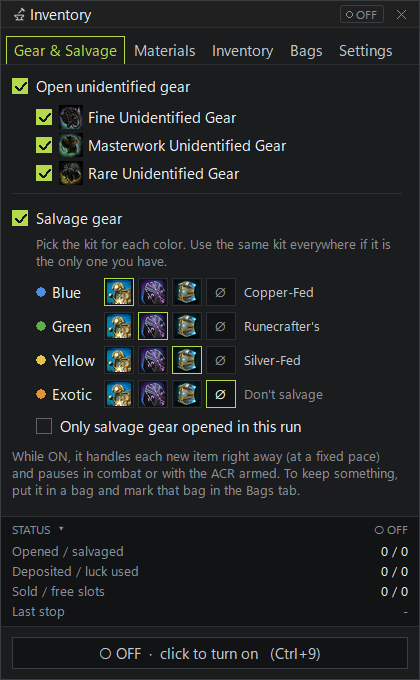
Mox handles every new item as it drops. It opens unidentified gear, salvages with the kit you picked, deposits materials, uses essences of luck and sells junk the moment you talk to a merchant.
What it covers
- Unidentified gear (Fine, Masterwork, Rare), each rarity on or off
- Salvage with the kit you pick for each rarity
- Per material, choose Deposit, Ignore, Vendor or Delete
- Essences of luck used up for you
- All junk sold, plus instant-sell for crests and medallions
Key features
- Skip bags so nothing inside is ever opened, salvaged or sold
- Only salvage gear opened in this run, if you want
- Pauses itself in combat, with the ACR on, and in PvP and WvW
- Live counters for opened, salvaged, deposited and sold
Pro tip
By default nothing is skipped, invisible bags included. Before your first run, put anything you want to keep into one bag and mark it as skipped.
Get MOX
Free. Join the Discord, get the Tester role, and download the launcher.